How Campaign Send Cadence Works
Ever wonder why some contacts in your campaign are on Step 3 while others are still waiting on Step 1? Or why emails are going out on days you did not expect? This article breaks down exactly how Seamless decides who sends when, how each contact keeps their own timeline through the campaign, and what happens on days when no steps are scheduled.
Overview
A campaign cadence is the schedule that controls when each contact gets each step of your campaign. Understanding how the cadence works helps you know why contacts send on certain days, why some contacts are ahead of others, and what happens when the campaign runs out of room for the day.
Every Contact Keeps Their Own Schedule
Think of each contact as having their own personal timeline through the campaign. In a Day 1, Day 3, Day 5 campaign a contact who sends Step 1 on a Monday will send Step 2 on Wednesday and Step 3 on Friday regardless of what anyone else in the campaign is doing.
If there is no room on the exact day a contact is due they will send as soon as possible after that day. Their spacing between steps stays the same, it just shifts forward slightly.
Who Goes First Each Day
Each day the campaign works through contacts in this order:
In-flow contacts go first. Anyone who has already completed at least one step gets priority. They keep moving through their steps before any new contacts are let in.
First in, first out. Among contacts who are due on the same day the one who joined the campaign earliest goes first.
New contacts fill the leftover room. If in-flow contacts do not use up the full day’s capacity, for example because some opted out or were removed, new contacts move into Step 1 to fill the open spots.
Once the day’s limits are reached everyone else stays Pending until the next day.
What Are Step Days and Open Days?
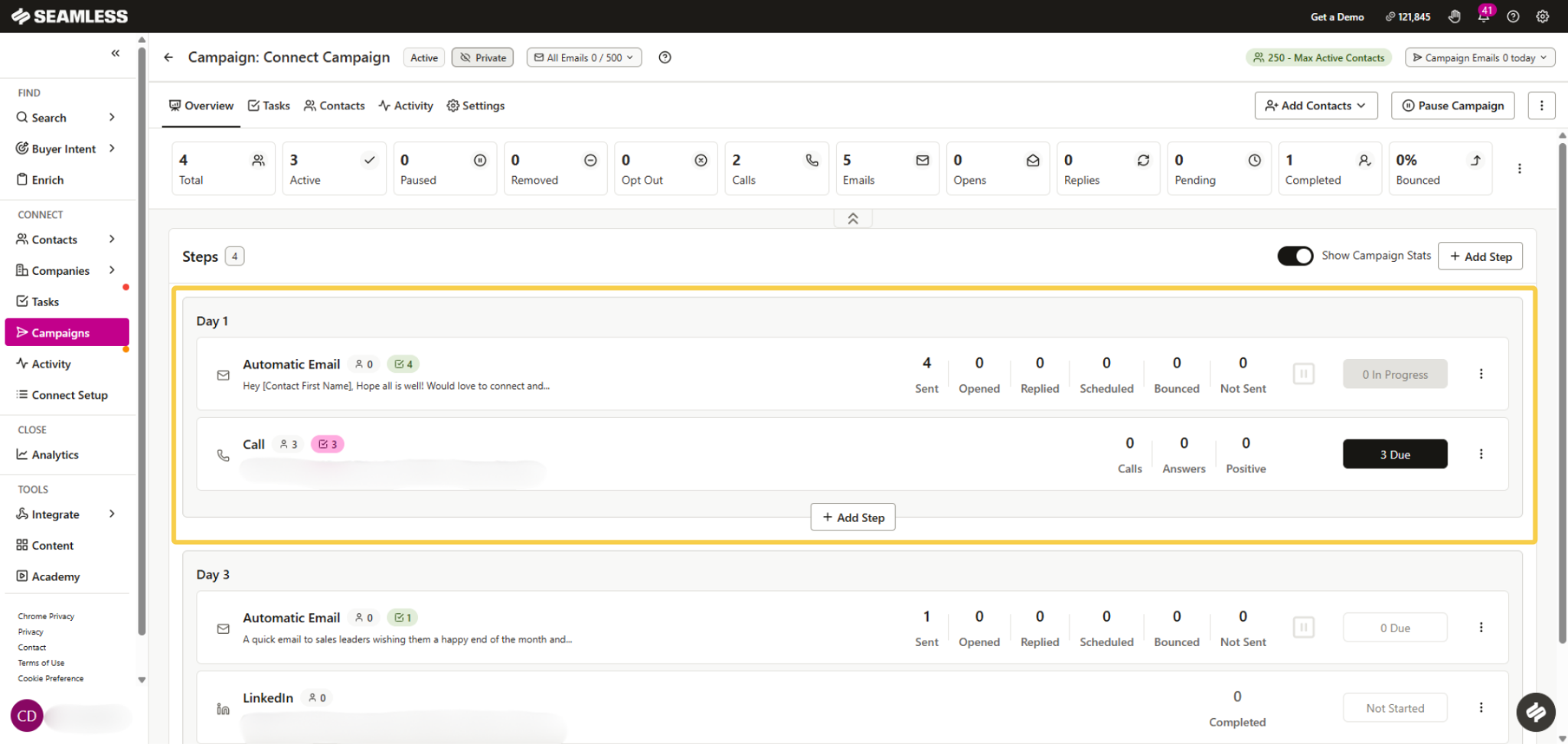
A step day is any campaign day that has a step on it. Day 1, Day 3, and Day 5 are all step days in a three-step campaign.
An open day is any day between step days where nothing is scheduled. Open days are not wasted. Contacts who did not get to send on the previous step day continue sending on open days. New contacts only move into Step 1 on an open day if no in-flow contact is due that day.
Think of open days as overflow days that help the campaign catch up rather than idle days where nothing happens.
What Are Catch-Up Days?
After the last step day the campaign enters catch-up days. This is when any contacts who were still Pending on the last step finally get to send. The campaign keeps running until every contact has completed the last step.
Once all contacts are done the cycle can restart at Day 1 for any new contacts added to the campaign.
What Happens When Contacts Opt Out or Are Removed?
When a contact opts out or is removed their spot opens up the same day. The next contact in line moves in right away as long as the campaign schedule is still open. This means a wave of opt-outs can actually speed things up for contacts who were waiting in line.
What About Weekends and Closed Days?
Days when the campaign schedule is closed such as weekends on a Monday through Friday schedule are skipped entirely when counting step days. So a Day 1, Day 3, Day 5 campaign running on weekdays only will skip over weekends automatically. A contact who sends Step 1 on a Friday will send Step 2 on the following Tuesday not the Sunday in between.
A Simple Example
Here is how a campaign with five contacts works. The campaign has two steps — Day 1 and Day 3. The daily limit is 2 contacts per day.
Day 1 — The two contacts who joined first send Step 1. The other three wait as Pending.
Day 2 (open day) — No one is due on Step 2 yet so two more new contacts send Step 1.
Day 3 — The first two contacts are due on Step 2. They send and finish the campaign. The fifth contact is still waiting.
Day 4 — The contacts from Day 2 send Step 2 and finish the campaign.
Day 5 — No in-flow contacts are due so the fifth contact finally moves in and sends Step 1.
Day 7 — The fifth contact sends Step 2 and finishes the campaign.
Quick Summary
- Every contact keeps their own spacing through the campaign.
- In-flow contacts always go before new contacts.
- Among contacts due the same day the earliest to join goes first.
- Open days are overflow days where leftover contacts keep sending.
- After the last step day catch-up days let any remaining Pending contacts finish.
- Closed days like weekends are skipped when counting step days.
- When a contact opts out or is removed their spot opens up the same day.