Team Usage Dashboard
The Team Usage Dashboard gives Owners and Admins visibility into team lead activity, group performance, leaderboard metrics, and downloadable user activity reports across the organization or assigned groups.
The Team Usage Dashboard gives Owners and Admins visibility into team activity and usage metrics across the organization or assigned groups. It helps leaders monitor lead generation trends, compare team performance, review usage by user, and download activity reports for further analysis.
Permissions for the Team Usage Dashboard
Access to the Team Usage Dashboard is based on both user role and group assignment settings configured in User Management.
The Team Usage Dashboard is available to Owners and Admins only.
Permission behavior works as follows:
- If an Owner or Admin does not have a group assigned, they can view metrics for all groups and for the entire organization.
- If an Owner or Admin is assigned to a group, they can only view metrics for the group or groups assigned to them.
This setup helps ensure users only see the team data they are permitted to access.
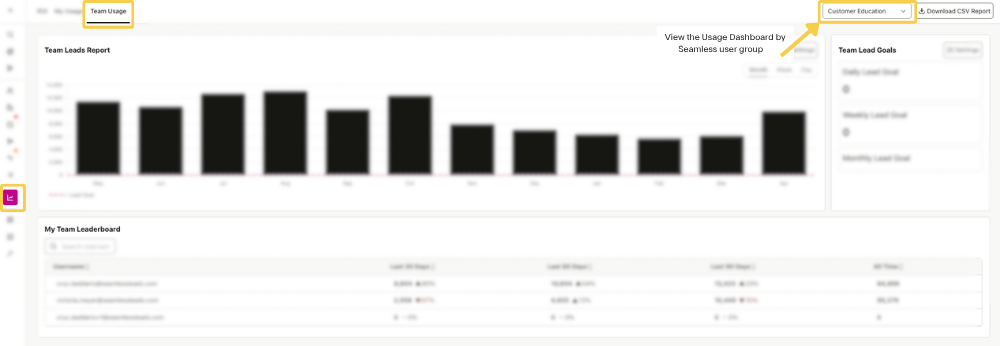
Features of the Team Usage Dashboard
The Team Usage Dashboard includes reporting and visibility tools that help leaders understand team-level prospecting activity and monitor performance over time.
Team Leads Report
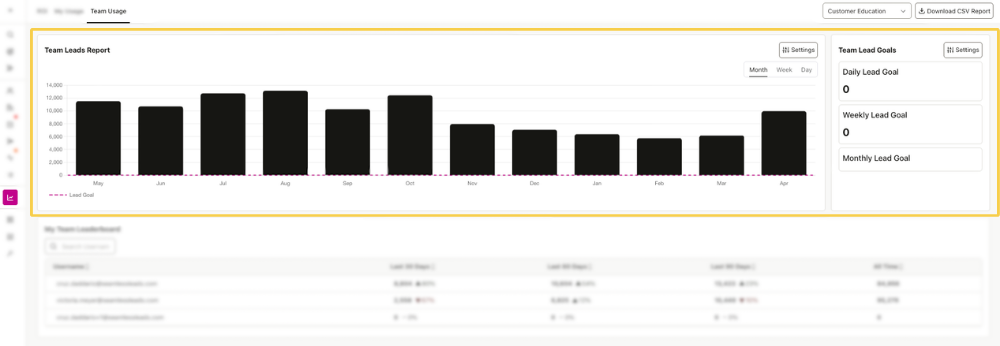
The Team Leads Report provides a consolidated view of lead activity across the organization or across the specific groups the user is allowed to view.
Users can switch between available groups using the dropdown menu in the top right corner of the dashboard.
The dotted line on the chart represents the team’s Lead Goal. This goal can be adjusted by clicking the Settings button in the top right corner of the Team Leads Report section.
This report gives leaders a quick visual way to measure how a team or group is tracking against its lead generation goals.
Setting Team Goals
The Team Usage Dashboard allows Owners and Admins to set lead goals so the dashboard better reflects team expectations and performance targets.
To update the team lead goal, click the Settings option in the Team Leads Report section and enter the number of leads your team is working toward each month.
My Team Leaderboard
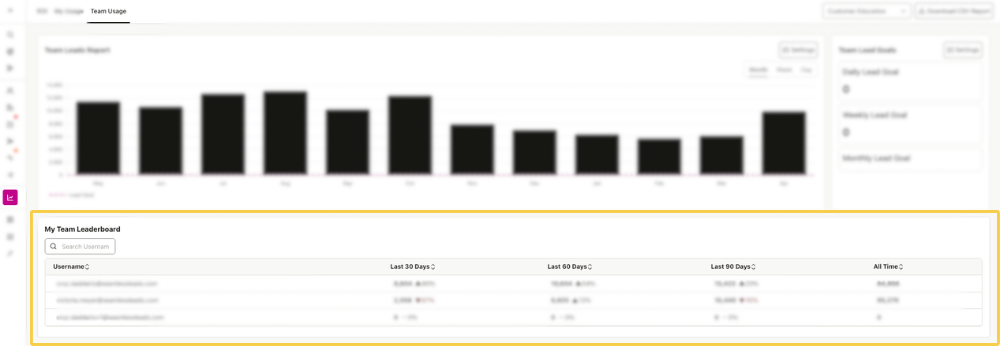
The My Team Leaderboard gives Owners and Admins a user-level view of team usage metrics so they can compare activity across their team.
This section only includes users the Owner or Admin has permission to view based on their group assignments in User Management.
For example:
- If an Owner or Admin is assigned to a group, they will only see members of that group in the My Team Leaderboard
- If they are not assigned to a group, they may be able to view leaderboard data across the full organization
This makes it easier to compare team activity while keeping visibility aligned with assigned permissions.
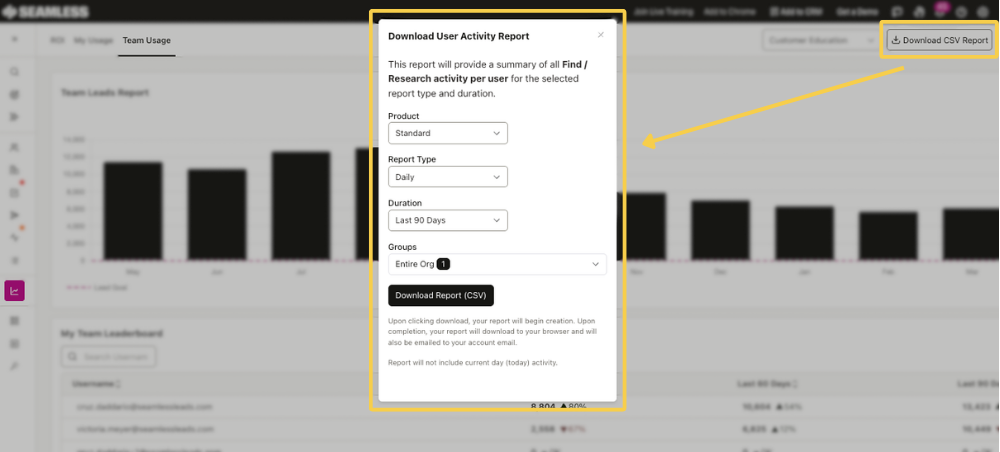
Download User Activity Report
The Team Usage Dashboard also allows you to generate and download a CSV report summarizing Find and Research activity by user.
When generating the report, you can customize it by selecting:
- Product
- Report type
- Duration
- Groups
After you click Download, the report will begin generating. Once complete, it will download to your browser and also be sent to your account email.
Note: The report does not include current-day activity.